Scheduling Production Tasks
Scheduling Production Tasks:
Once you have selected a production order to schedule, it will be shown on the left side of the Production Scheduler, along with other Production Orders for the same sales order.
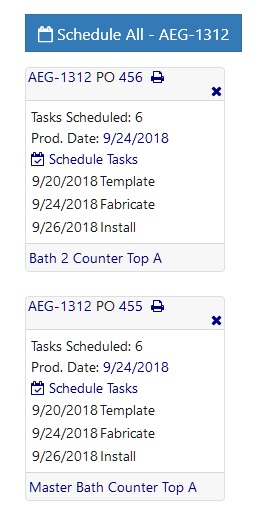
Each Production Order box shows the sales order number, Production Order Number, how many tasks have already been scheduled and the first production date for those tasks. Additionally, it shows the scheduled sales order events and the product name and line label (if specified).
For more information, see:
Scheduling A Single Production Order
Scheduling Multiple Production Orders
Copyright 2018 Aegis Commerce Solutions
Toggle navigation