EDI Center
In EDI Center, user can see which EDI Orders have been fulfilled and which have not. When a Purchase Order (PO) comes in to BizOps, BizOps converts that to an Order and assigns an order number. The incoming PO number is stored in the Doc # column.

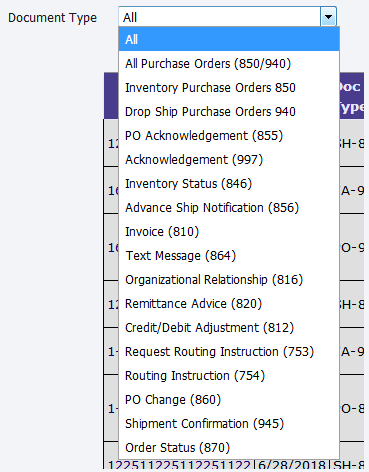
The EDI Center has several fields most of which are self explanatory. BizOps permits the list of EDI orders by type of order.
See the Illustration below.
The EDI order also starts as a draft. After the line items are checked to make sure they are correct, the Finalize Draft Order is clicked. This converts the order to status New. After the order is finalized, the user then clicks 856 ASN link in EDI Response column on EDI Center page to generate EDI 856.
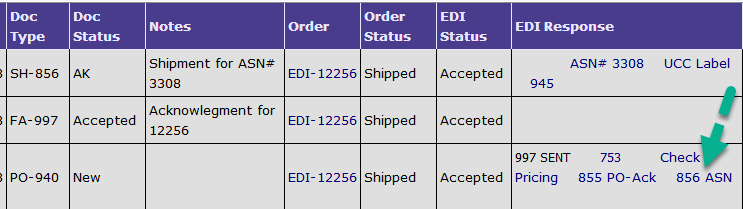
The ASN is filled out and when the window is closed, the ASN number is displayed in the EDI Response column.

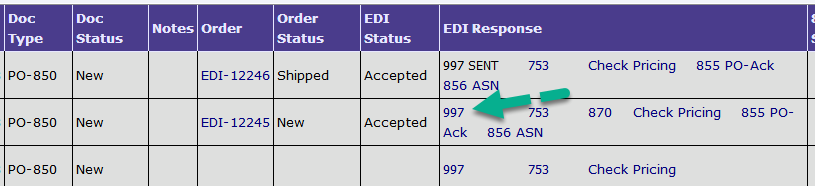
You can generate EDI 997 by clicking 997 link in EDI Response column on EDI Center.
Copyright 2018 Aegis Commerce Solutions
Toggle navigation