Amazon GTIN Uploader
AMAZON GTIN UPLOADER
[1] Go to the Admin -> Products. Select "Amazon GTIN Uploader" from products dropdown .
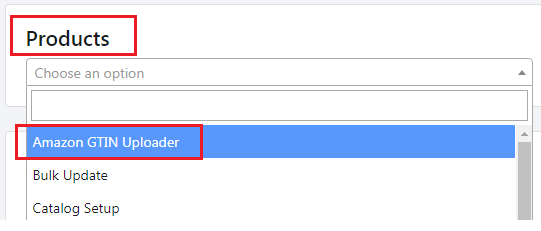
[2] It will take you to Multiple GTIN Importer page.
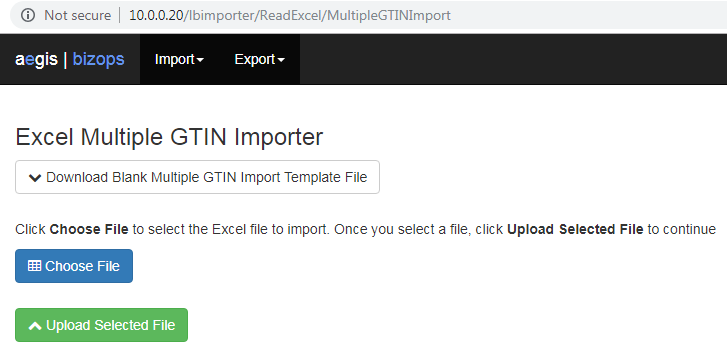
[3] First, download the blank template file. Enter the data in that excel file. Click on "Choose
File" to select the excel file you want to import and then click on "Upload Selected file" to
import the data from selected excel file to Bizops.
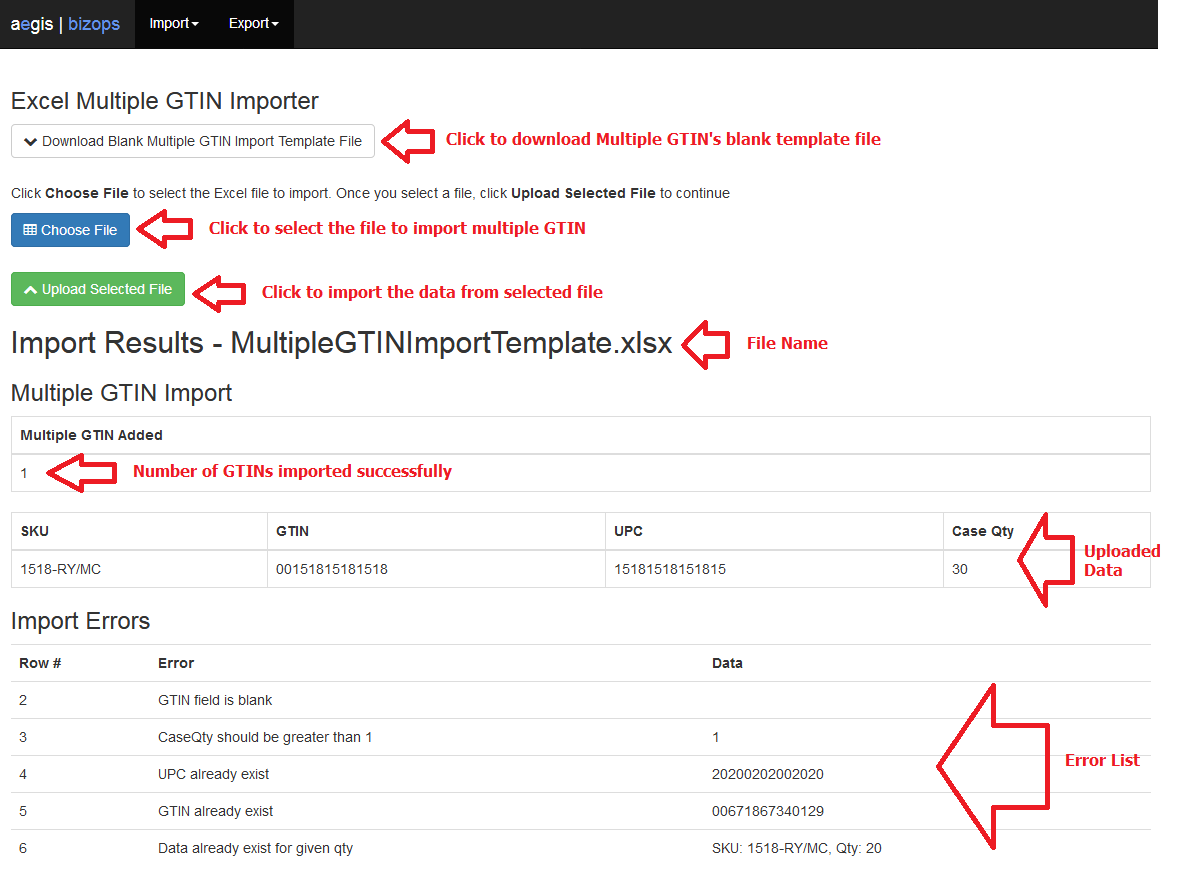
It will add / update multiple GTIN and UPC code for different case packs and single unit for the given product sku.
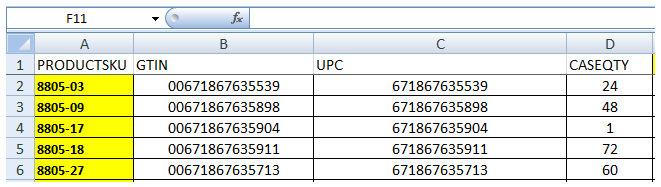
Excel Format :
Fields are :
PRODUCTSKU, GTIN, UPC, CASEQTY
Copyright 2018 Aegis Commerce Solutions
Toggle navigation